Showing posts with label Photoshop Actions. Show all posts
Showing posts with label Photoshop Actions. Show all posts
Thursday, 7 March 2013
Light Leak effect Action and Tutorial in Photoshop.
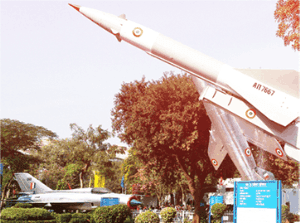
When you are not having Instagram with you or just can't use it for any of the Gazillion reasons, and are left with only your good old Photoshop, then you might have wondered, how to do that in Photoshop ?
Sunday, 14 October 2012
Watercolor Effect in Photoshop Tutorial/Action.

Software Required : Photoshop any version.
Time : 5-10 Minutes.
Watercolor effect in a picture is desirable when we want to retain the color contrast of photo and don’t require the sharpness,because water color are always smudgy,isn’t it?
Creating this effect as easily on Photoshop may be a little tricky but that’s why you are reading the tutorial,but believe me this is so simple as just applying some effect and filters.
So,here i am going to write a tutorial how to create this effect and i have also made a Photoshop action for those who
Wednesday, 15 August 2012
Photoshop Instagram Nashville Effect Action Tutorial.
1 comment:
Labels:
Photoshop Actions

Time : 2-3 Minutes.
Software required : Photoshop /any version.
The Instagram Nashville effect is loved by many due to its flat blacks and emphasized colors ,the reds and blues are more prominent in this effect and,this gives your photos a vintage look and keeps your colors intact instead of giving your photos an overall yellowish tinge.
So,i have made a Photoshop action which closely resembles this effect and simplifies your work because you only need to press play button and load your photo to see it getting converted to Nashville.Download
Monday, 30 July 2012
Vintage Effect in Photoshop Action.
No comments:
Labels:
Photoshop Actions

Photoshop Required.
Vintage effect on Photographs is generally the Old camera look that we frequently come across in the old newspapers,and after we develop old films,this effect at times can be used to give the Vintage charm associated with them,they have tunnel look,have dark corners and are yellowish with a pink tinge on them which gives the impression that they are withered by the sun.
This effect can be replicated using the Photoshop’s powerful layer styles and lens filters,it usually takes 2-3 minutes for users familiar with processing
Tuesday, 24 July 2012
Create Infrared images in Photoshop Action.
No comments:
Labels:
Photoshop Actions

Time : 2-3 Minutes.
Software Required : Photoshop/any version upwards of 7.
Infrared Images are the images which are shot using infrared light sensitive Film on cameras or IR sensors.But not everyone has the resources to buy IR sensitive films or sensors,and if the images have been already shot then it can’t be converted,but for this very purpose i made a Photoshop action to convert your images to Infrared and this can be done in just a click.
Just download the attached Photoshop action(.atn) file and then load action and click on play,and
Subscribe to:
Posts (Atom)


